
Ever searched for “plumber near me” or “best Thai food in Leeds” and got spot-on results? That’s Google Ads location targeting at work — and it’s exactly what your business needs to stand out where it counts: right in your neighbourhood.
If you’re a small or mid-sized UK business, competing nationally can feel overwhelming. But what if you could reach just the people in your town, your postcode, or even a mile from your door? You can — and Google Ads makes it easier (and smarter) than you’d think.
Here’s how to use city and region targeting to turn local searches into real customers.
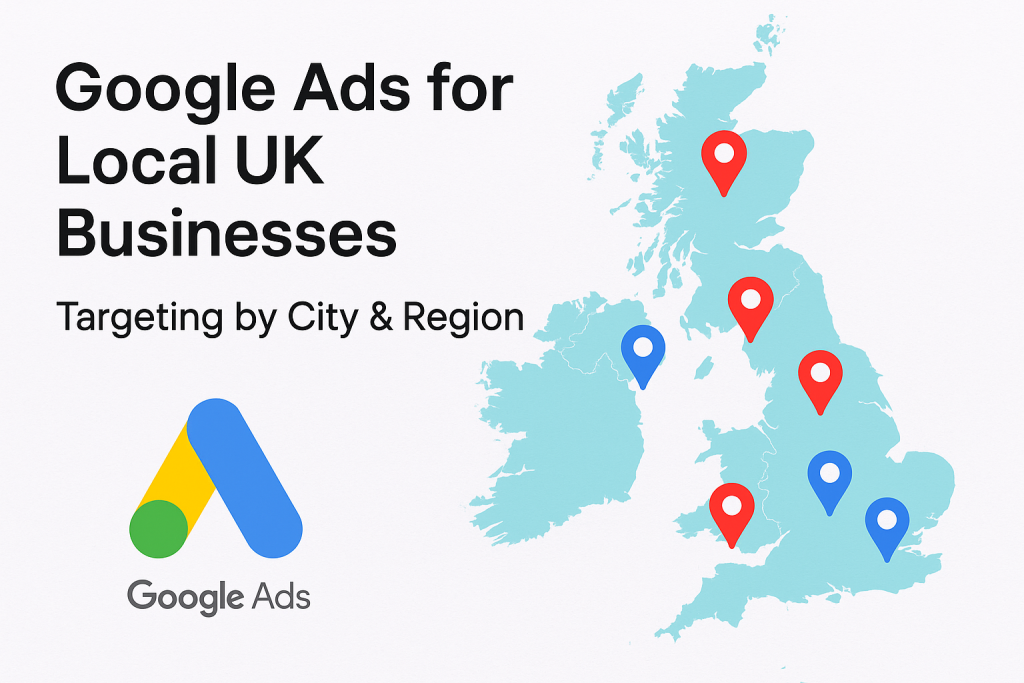
Why Location Targeting Isn’t Optional for Local Businesses
Let’s start with the obvious: If you run a coffee shop in Brighton, you don’t want your ads showing up for people in Birmingham. If you’re a dog groomer in Manchester, you’re not hoping for clicks from someone sipping tea in Cornwall.
With Google Ads for local businesses, you can laser-focus your campaigns to show only to people in specific cities, postcodes, or even a selected radius. This isn’t just more effective—it’s smarter, cheaper, and better aligned with real buying intent.
Here’s why it matters:
- It saves budget by eliminating wasted clicks from people too far away to convert.
- It increases relevance, meaning higher click-through rates and better Quality Scores.
- It aligns your ads with local intent—and Google loves serving localised results when it makes sense.
How Location Targeting Works in Google Ads (Without the Jargon)
Google Ads offers a few ways to control where your ads appear:
1. City Targeting
Perfect if your services are focused in one urban area. Want to reach everyone in Liverpool? Done. This lets your ad appear for anyone physically located in the city or searching for terms related to it.
2. Region Targeting
Need wider coverage? Target counties or larger geographic regions—like Greater London, South Yorkshire, or the West Midlands. Great for service-area businesses that operate across multiple towns.
3. Radius Targeting
Feeling hyperlocal? Set a radius around your postcode or business address. You can target a 5-mile zone around your store, or go bigger if needed. Ideal for restaurants, hair salons, and anyone whose customers are mostly nearby.
4. Postcode Targeting
This is where it gets surgical. Target specific UK postcodes or exclude ones you know aren’t converting. Yes, it takes a bit more setup, but it’s great for multi-location businesses or those with a narrow service area.
Setting It Up: A Quick Guide (That Won’t Make Your Eyes Bleed)
You don’t need to be a tech wizard. Google Ads has come a long way, and setting up location targeting now is more like ordering from a menu.
- Create or edit your campaign.
- Head to the “Settings” tab.
- Find the “Locations” section and click “Enter another location.”
- You can type in cities, regions, or postcodes, or drop a pin and set a radius.
- Choose between:
- “People in or regularly in your targeted locations” (recommended for local reach).
- “People searching for your targeted location” (good for service businesses like tourism or rentals).
Want to go further? Use location exclusions to avoid wasted impressions. Say you don’t want your ad showing in nearby zones that don’t convert—just exclude them.
Best Practices: Getting the Most Out of Local Targeting
Just setting your locations isn’t enough. You want those ads to hum with relevance. Here’s how to make your Google Ads location targeting work overtime for you:
1. Use Location-Specific Keywords
It sounds simple, but many skip this: include the city name or region in your ad headlines, descriptions, and landing pages. For example:
- “Affordable Roof Repairs in Bristol”
- “Personal Trainers in Glasgow City Centre”
This boosts your ad’s relevance score, which makes Google happy and your costs lower.
2. Use Ad Customisers
You can dynamically insert the user’s location into your ad copy. It’s a small touch that can lead to a big spike in click-throughs.
3. Add Location Extensions
These show your business address and map link directly in the ad. It’s like waving a flag that says, “We’re just down the road!” Great for physical storefronts.
4. Sync with Google Business Profile
When your Google Business Profile is connected to Google Ads, it enhances your local presence across Search and Maps—especially on mobile. Win-win.
5. Schedule Smartly
When are people actually searching for you? A fish and chips shop in Southend-on-Sea might see peak search times right before lunch and dinner. Use ad scheduling to serve your ads at high-conversion hours.
Example: How a Local Florist Nailed It with Region Targeting
Let’s say you run a flower shop in York. Instead of trying to rank for “UK flower delivery” (which is brutal), you decide to focus on:
- “Wedding florist in York”
- “Same day flower delivery York”
- “Florists near Bootham, YO30”
You create ad groups targeting York city, a 10-mile radius, and key postcode zones. You use location extensions, call buttons, and headlines like “Fresh Bouquets Delivered Today – York Florist.”
The result? More relevant clicks, lower cost-per-click (CPC), and more Saturday morning calls than you can answer.
That’s the magic of city and region targeting.
Budgeting Like a Local: Spend Smart, Not Broad
One of the biggest advantages of location targeting is how much money it can save you.
Let’s say you’re a locksmith in Sheffield. If you’re running ads across all of Yorkshire, you might get clicks from areas you don’t even serve. That’s wasted spend. But with precise Google Ads location targeting, you’re only bidding where your actual customers live or search.
Pro tip:
Start with smaller geographic zones—like a 5 to 10-mile radius—and test performance. As you get conversions, scale slowly outward based on which areas deliver the best return.
Use Google’s Location Report to track which cities, postcodes, or regions are converting, then:
- Increase bids for high-converting areas
- Decrease or exclude low-performing ones
It’s like pruning a tree—cut the branches that don’t grow, and water the ones that do.
Conversion Tracking for Local Campaigns: Don’t Fly Blind
What good is a perfectly geo-targeted campaign if you don’t know what’s working?
Here’s how to track the real impact of your location-focused ads:
1. Track Phone Calls
Most local businesses live and die by phone leads. Use Google Ads’ Call Reporting or a third-party call tracking tool to:
- See which ad triggered the call
- Track duration and caller location
- Count quality leads (not just ring-rings)
2. Use Conversion Actions on Landing Pages
If someone books an appointment or fills out a form, make sure that’s counted. Set up a “Thank You” page or event-based trigger using Google Tag Manager.
3. Enable Offline Conversions (Advanced)
Run a physical shop? You can import offline conversions like in-store purchases or consultations that started with an ad click. It takes some setup—but for high-ticket services, it’s game-changing.
4. Monitor Local Search Terms
Head into your Search Terms Report and look at what people are actually typing when your ad shows. You’ll find gold like:
- “plumbers open Sunday near Woking”
- “best vegan lunch in Derby city centre”
These insights can shape your copy, landing page, and even service hours.
Common Mistakes to Avoid (And What to Do Instead)
Even seasoned marketers trip up here. Let’s keep you out of that club.
❌ Mistake 1: Targeting Too Wide, Too Soon
- Fix: Start with your immediate service area and scale after proving ROI.
❌ Mistake 2: Forgetting to Exclude
- Fix: Actively exclude regions/postcodes that don’t convert. Saves money fast.
❌ Mistake 3: Using Generic Ad Copy
- Fix: Say the name of the city. Mention local landmarks. Speak their language.
❌ Mistake 4: Ignoring Mobile
- Fix: Add mobile-preferred ads with call buttons and maps. Most “near me” searches happen on phones.
Real-World Wins: Small UK Businesses Doing It Right
Case 1: Electrician in Bristol
Shifted from national ads to city + radius targeting. CTR jumped by 40%, CPC dropped by 27%. Now shows up for “emergency electrician BS3” every day.
Case 2: Pet Grooming in Leeds
Ran a campaign targeting LS1–LS18 postcodes with geo-modified ads (“Gentle Dog Grooming in Roundhay”). Bookings doubled within 30 days.
Case 3: Window Cleaning in Cardiff
Used radius targeting + call extensions + ad scheduling (8am–6pm). Conversion rate tripled during lunchtime hours, when most customers were home.
These aren’t unicorns. These are regular businesses that learned to speak locally on the world’s biggest platform.
Ready to Make Your Business Unmissable?
If you’re tired of guesswork, overpriced agencies, or strategies that don’t speak to your audience — you’re in the right place.
At DigitalMarketingAds.co.uk, we specialise in smart, effective digital marketing for UK-based small and mid-sized businesses. From laser-targeted Google Ads to search engine optimisation that actually works, our team is built to get you noticed where it matters most — locally, regionally, and across the UK.
Whether you’re just starting out or scaling fast, we bring you:
- Certified Google Ads + SEO specialists who speak your language
- Custom plans built for UK industries, not cookie-cutter templates
- Transparent, jargon-free reporting so you know exactly what’s working
- Deep expertise in local SEO, e-commerce ads, and service-based business growth
Let’s cut the fluff, boost your conversions, and make sure your business shows up right when people need you most.
👉 Visit DigitalMarketingAds.co.uk today to book your free strategy session — and let’s grow something brilliant together.
Final Thoughts: Think Global, Target Local
Google Ads doesn’t need to be this big, scary platform only for corporate giants. For local UK businesses, it can be one of the most powerful tools in your marketing kit—when used with surgical focus.
By targeting cities, regions, postcodes, or just a few miles around your shop door, you stop wasting money and start having real conversations with customers who are already nearby and ready to buy.
Remember:
- Keep your copy local
- Monitor your zones and adapt fast
- Sync your ads with your hours, keywords, and real-world service areas
Because when your ads speak directly to the person walking down your street, looking for exactly what you offer—you’re not selling. You’re serving.
And that’s what good marketing should always do.
Frequently Asked Questions
1. Can I target specific cities or postcodes in Google Ads for my business?
Yes! Google Ads allows you to target specific cities, regions, postcodes, or even set a custom radius around your business location. This means your ads only show to people in the areas you serve — helping you save budget and reach customers who are more likely to convert.
2. How is Google Ads different from SEO? Should I invest in both?
Google Ads delivers immediate traffic through paid placements, while SEO focuses on long-term organic visibility. Ideally, you should invest in both: Google Ads brings quick leads, and SEO builds sustainable online presence. At DigitalMarketingAds.co.uk, we help you balance both to get the best ROI.
3. Do I need a big budget to run location-targeted Google Ads in the UK?
Not at all. One of the best things about location targeting is that it helps you make the most of a smaller budget. By focusing on specific geographic zones, you avoid wasting money on irrelevant clicks. We offer flexible plans designed for UK small and mid-sized businesses.
4. How do I know if my Google Ads campaigns are working?
We track everything — from clicks and phone calls to form submissions and sales. You’ll get transparent, jargon-free reports showing exactly what’s performing and where we’re improving. And yes, we’ll walk you through it so you always feel in control.